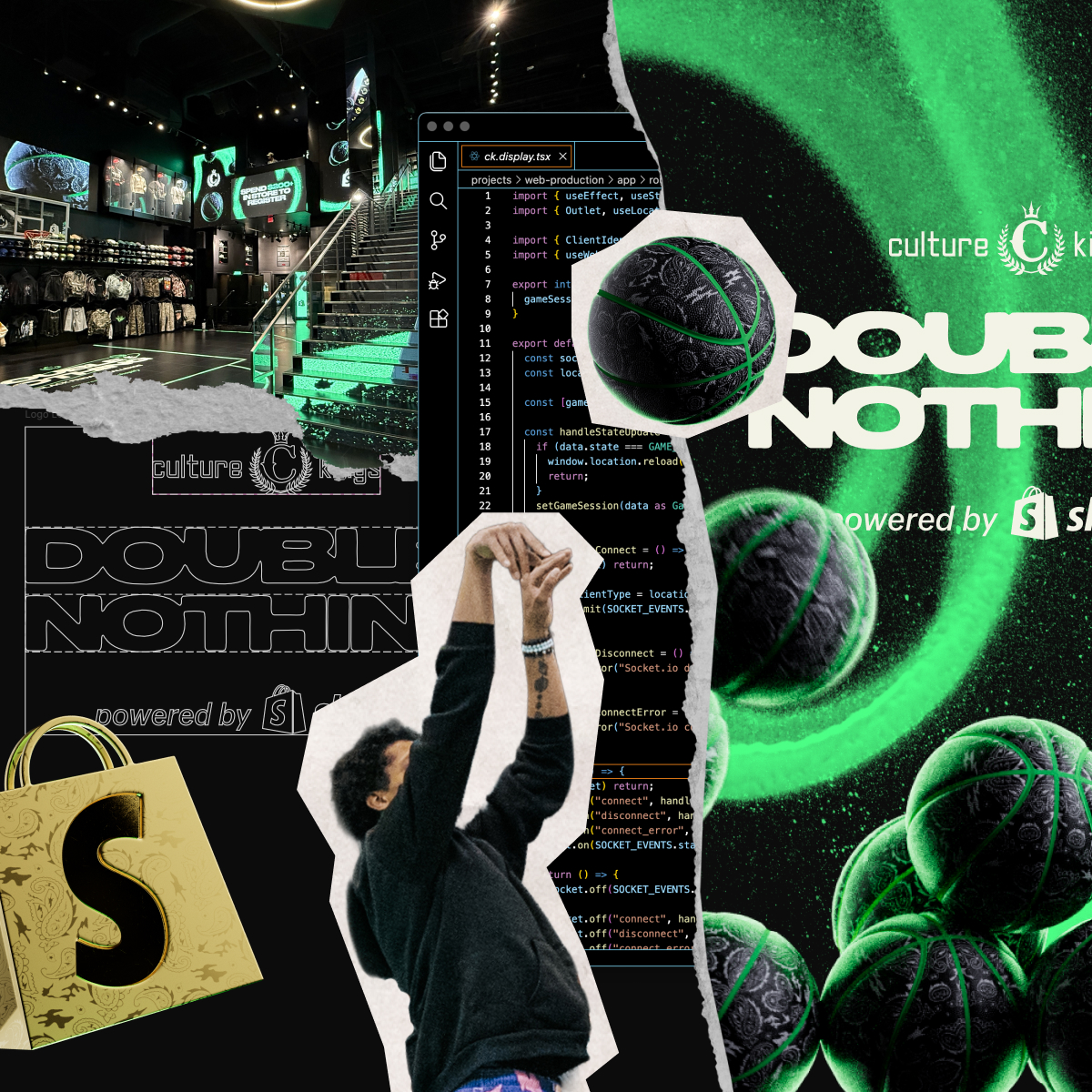
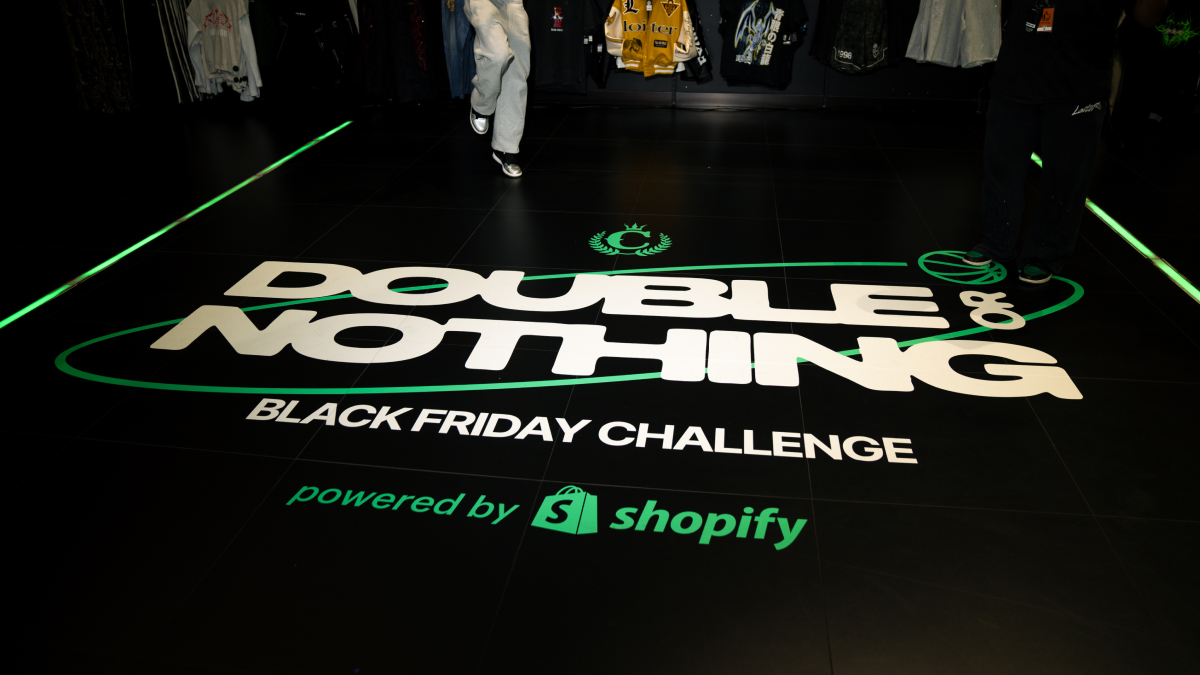
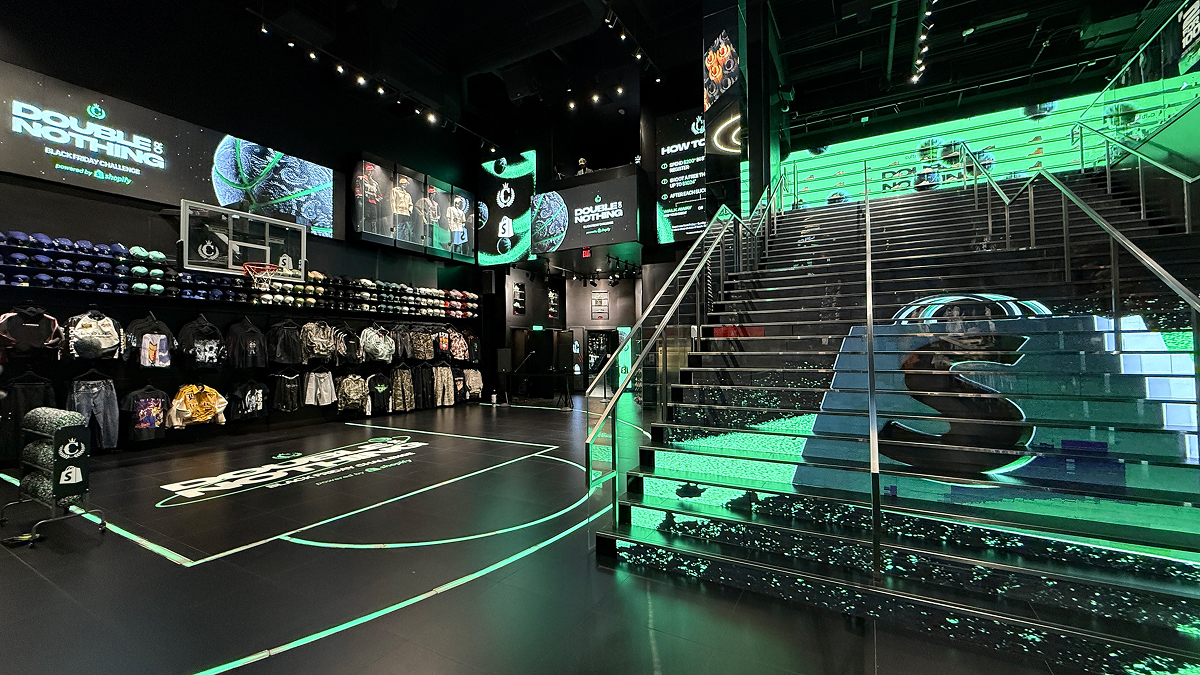
Before we even started working on the Culture Kings Black Friday Challenge, we joked that we would paint their store green. Fast forward a couple of months, and that’s exactly what we did.
Tech Flexes Team
Earlier this year, after almost four years on the Retail Marketing team, I switched to a new R&D team called ‘Tech Flexes’. The team is uniquely positioned at the intersection of culture and commerce. We partner with some of the top brands and build custom shopping experiences that showcase the future of commerce. The ideas can be literally anything, but the only real requirements are that we use Shopify’s tools and developer platform, and then tell the world how we built it. We’re trying to get people excited about the future of commerce you can build with the right skills and tools.
The past couple of projects we’ve launched have done very well online—like the Magic Mirror we built for Rare Beauty, which shade matched makeup at their L.A. popup in September, or ‘Pay with Your Pace’, a treadmill that printed store credit to celebrate marathon weekend in NYC.
For our next build, we wanted to take the pre-existing Sharpshooter challenge that Culture Kings already had in-store and give it a twist by integrating it directly into their point of sale.
Building the game
At the Las Vegas Culture Kings store, customers can collect a token for every $50 they spend in-store, and after collecting 10 tokens, can use them on the Sharpshooter challenge. The current challenge is simple: you have to make 10 consecutive shots to claim exclusive merchandise. But we wanted a special Black Friday version. In true Vegas fashion, we created a ‘Double or Nothing’ challenge that allowed the customer to risk their winnings to double their in-store credit, up to $1,024. Also, the game was typically run solely by store staff without any integration with their POS and no way to reliably identify these customers for future engagement—and that’s where we came in.
Culture Kings wanted to reserve the game for customers who spent $200 in-store, so we built a POS UI extension that generated a wallet pass using Badge.dev after a customer made a qualifying purchase. The extension presented a unique QR code that the customer would scan to get their wallet pass for the experience. We also built a control panel for staff on the floor to control the game mechanics. This included a code scanner, so when a customer presented their wallet pass, it would pull their data, activate the scoreboard, and the game would start.
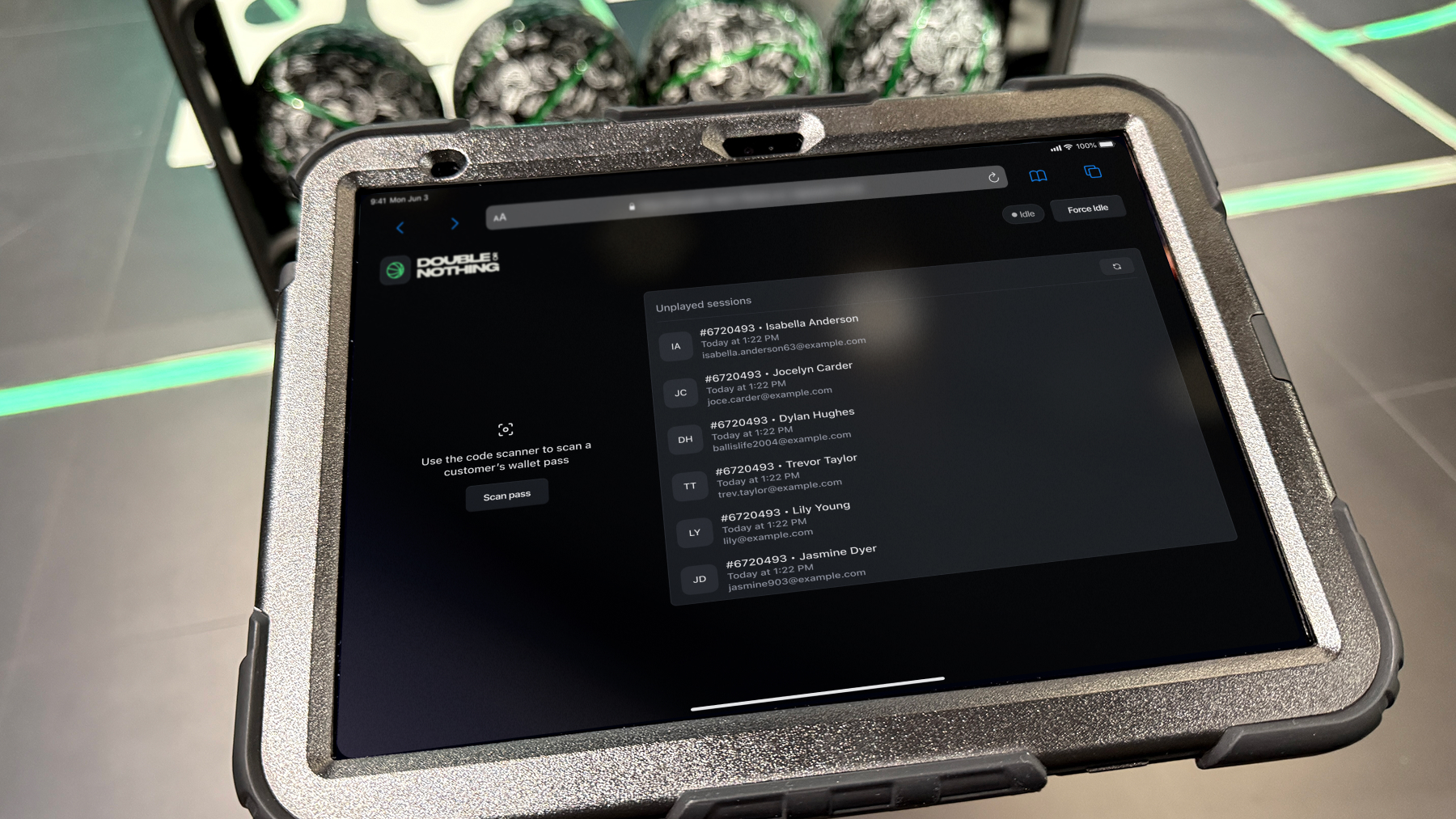
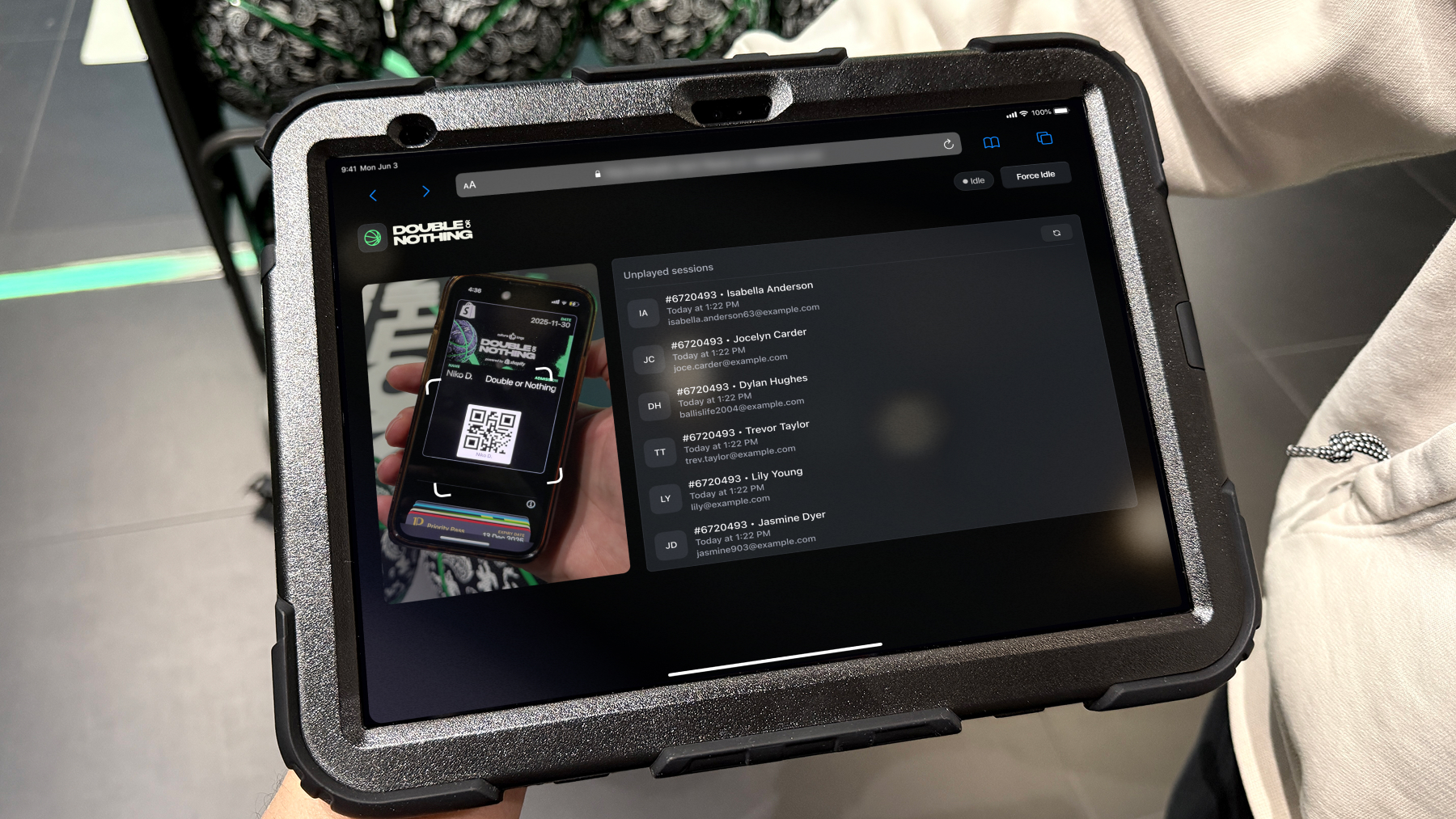
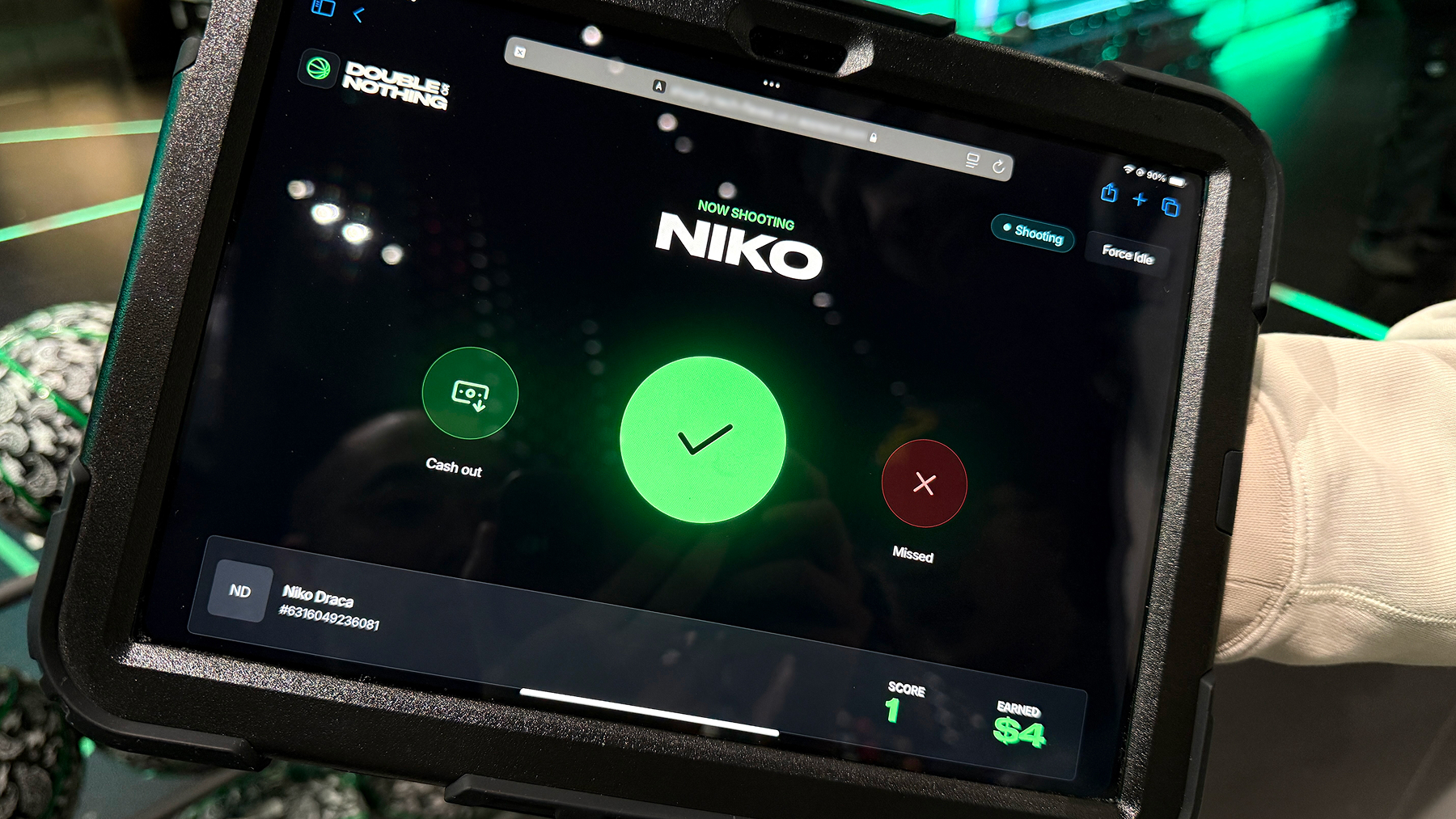
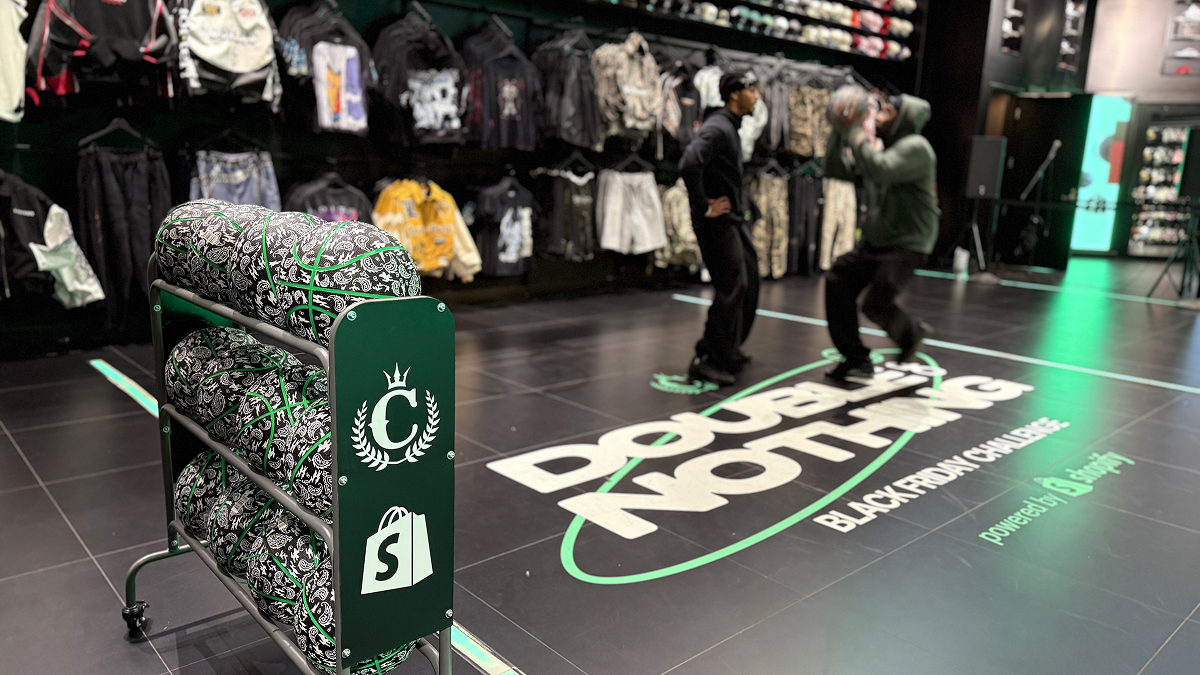
Once a game started, the customer’s name would flash on the large scoreboards, while a Culture Kings staff member grabbed the mic to MC the event and invited everyone in the store to gather around and watch the challenge. Each participant got a few practice shots, and once they made their first basket, they won $4. At that point, they could choose to walk away and keep their credit, or risk it all for a chance to double it. Most of the time, customers chose to go for double.
The two game boards were a single responsive webview powered by Remix that was listening to websocket events sent from the control panel via Socket.io, and additionally stored in the Shopify Order Metafields. Utilizing the Shopify Order Metafields was an easy way to avoid requiring a separate database for each game and allowed us to use only the dev tools available from Shopify.
utils/websocket.ts
import { Server, Socket } from "socket.io";

import { ClientIdentifyMessage, GAME_STATE, GameStateData, SOCKET_EVENTS } from ".";

export async function setupCultureKingsHandlers(io: Server) {
  io.on("connection", (socket) => {
    // Handle client identification (display vs controller)
    socket.on(SOCKET_EVENTS.client_identify, (data: ClientIdentifyMessage) => {
      socket.data.clientType = data.clientType;
    });

    // Handle game state updates
    socket.on(SOCKET_EVENTS.state_update, async (data: GameStateData) => {
      // Build metafields payload depending on state for bulk append
      switch (data.state) {
        case GAME_STATE.SHOOTING:
          // Update Shopify Metafields to shooting + additional data
          break;
        case GAME_STATE.CASH_OUT:
          // Create discount code, and update metafields with data
          break;
        case GAME_STATE.MISSED:
          // Update Shopify Metafields to missed
          break;
      }

      // Broadcast state update to all connected clients
      const payload = { ...data, timestamp: new Date().toISOString() };
      io.sockets.sockets.forEach((client) => {
        client.emit(SOCKET_EVENTS.state_update, payload);
      });
    });
  });
}
The parent display route handled the websocket updates and passed them downstream to the Outlet, which managed all the animations and state transitions.
routes/display.tsx
import { useEffect, useState } from "react";
import { Outlet, useLocation } from "@remix-run/react";

import { ClientIdentifyMessage, GAME_STATE, GameStateData, SOCKET_EVENTS } from "utils/culture-kings";
import { useWebSocket } from "~/context/ws.context";

export interface CultureKingsDisplayOutletContext {
  gameSession: GameStateData;
}

export default function CultureKingsDisplayRoot() {
  const socket = useWebSocket();
  const location = useLocation();

  const [gameSession, setGameSession] = useState<GameStateData>({ state: GAME_STATE.IDLE });

  const handleStateUpdate = (data: GameStateData) => {
    if (data.state === GAME_STATE.IDLE) {
      // Force a full reload when the game resets to idle
      window.location.reload();

      return;
    }
    setGameSession(data as GameStateData);
  };

  const handleConnect = () => {
    if (!socket) return;

    // Identify the client type based on the URL path
    const clientType = location.pathname.split("/").pop();
    socket.emit(SOCKET_EVENTS.client_identify, { clientType } as ClientIdentifyMessage);
  };

  const handleDisconnect = () => {
    console.error("Socket.io disconnected");
  };

  const handleConnectError = (error: Error) => {
    console.error("Socket.io connection error:", error);
  };

  useEffect(() => {
    if (!socket) return;
    socket.on("connect", handleConnect);
    socket.on("disconnect", handleDisconnect);
    socket.on("connect_error", handleConnectError);
    socket.on(SOCKET_EVENTS.state_update, handleStateUpdate);

    return () => {
      socket.off(SOCKET_EVENTS.state_update, handleStateUpdate);

      socket.off("connect", handleConnect);
      socket.off("disconnect", handleDisconnect);
      socket.off("connect_error", handleConnectError);
    };
  }, [socket]);

  return (
    <div className="display">
      <Outlet
        context={
          {
            gameSession,
          } as CultureKingsDisplayOutletContext
        }
      />
    </div>
  );
}
routes/display.main.tsx
import { useState, useEffect, useRef } from "react";
import { useOutletContext } from "@remix-run/react";

import { GAME_STATE } from "utils/culture-kings";
import { CultureKingsDisplayOutletContext } from "./ck.display";

export default function CultureKingsDisplayMain() {
  const { gameSession } = useOutletContext<CultureKingsDisplayOutletContext>();

  const [didScore, setDidScore] = useState(false);

  useEffect(() => {
    let scoreAnimationTimeout: NodeJS.Timeout;
    if (
      (gameSession.state === GAME_STATE.SHOOTING || gameSession.state === GAME_STATE.CASH_OUT) &&
      gameSession.extraData.scoreAnimation
    ) {
      // Sets a non-existent timeout to allow enough of a delay for the
      // creditEarnedScored element to be removed and re-added to the dom,
      // triggering the css animation to play again. It's ugly, but it works.
      setTimeout(() => {
        setDidScore(true);
        scoreAnimationTimeout = setTimeout(() => {
          setDidScore(false);
        }, 4000); // Duration of the score animation
      }, 0);
    }

    return () => {
      // Cleanup timeout on unmount or when gameSession changes
      setDidScore(false);
      if (scoreAnimationTimeout) {
        clearTimeout(scoreAnimationTimeout);
      }
    };
  }, [gameSession]);

  useEffect(() => {
    if (gameSession.state === GAME_STATE.SHOOTING && didScore) {
      // Play the default score video from the beginning
    }
    if (gameSession.state === GAME_STATE.CASH_OUT && didScore) {
        // Play the jackpot score video from the beginning
    }
  }, [gameSession, didScore]);

  return (
    <div>

      {/* WARM UP STATE */}
      {gameSession.state === GAME_STATE.WARMING_UP && (
        // Warm up screen
      )}

      {/* HANDLE SCORING */}
      <div className={didScore ? "" : "hidden"}>

        {/* The score animation is a combination of video and css animations.
        The video plays, and the amount earned css text animation plays on top of it
        with matching timing to make it seem like one cohesive animation.*/}

        {didScore && (
          // Amount earned text animation using css
        )}

        {/* The following videos are always in the dom to save on load times.
        They're conditionally visibile using css classes based on gameSession.state and didScore. */}

        {/* Default score video */}

        {/* Jackpot score video */}
      </div>

      {/* SHOOTING STATE */}
      {gameSession.state === GAME_STATE.SHOOTING && !didScore && (
        // Shooting screen
      )}

      {/* MISSED STATE */}
      {gameSession.state === GAME_STATE.MISSED && (
        // Missed screen
      )}

      {/* CASH OUT STATE */}
      {gameSession.state === GAME_STATE.CASH_OUT && !didScore && (
        // Cash out screen
      )}

      {/* IDLE STATE */}
      {/* The interstitial video is always in the background to save on load times,
      and conditionally visible using css classes based on gameSession.state */}
  );
}
Once the customer decided to cash out or scored the final shot to win the max credit, we generated a Shopify discount code assigned to the customer for that specific amount and set it to expire at the end of the day. We then updated the order metafields to contain the game data and discount code, which gave Culture Kings the full data for all the games and customers directly within their Shopify admin. The unique discount code was automatically synced to the customer’s mobile wallet pass, which made both game participation and credit redemption seamless and secure.
Building the event brand
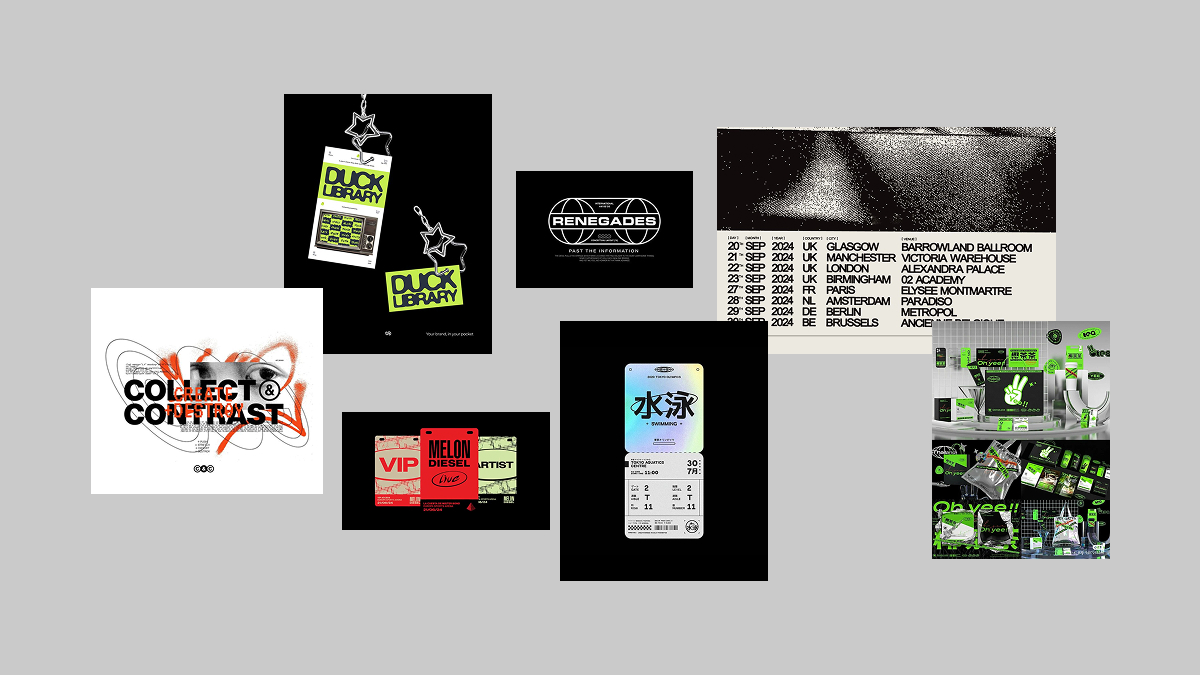
After we had figured out the game mechanics, I started developing the event branding for the challenge. Most brand collaborations we do at Shopify have a unique creative direction that combines both the brand we’re partnering with and Shopify’s aesthetic into something that feels natural and cohesive for a stand-alone period of time. It all starts with a moodboard to collect ideas and references for the direction we want to take.
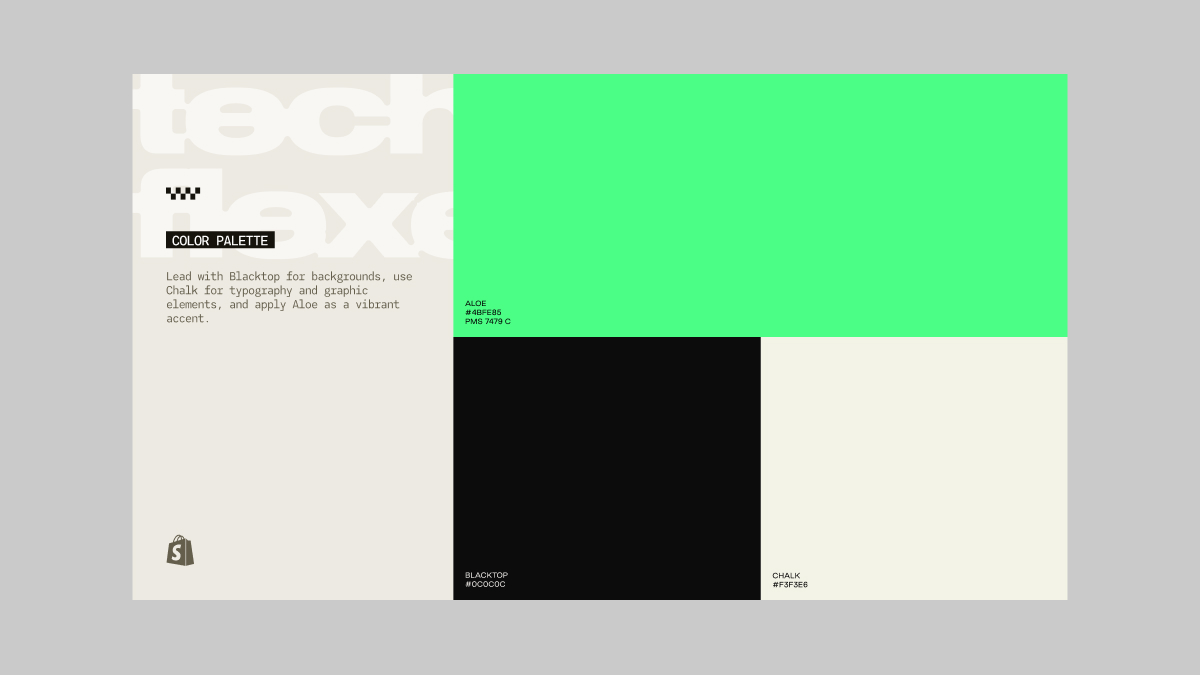
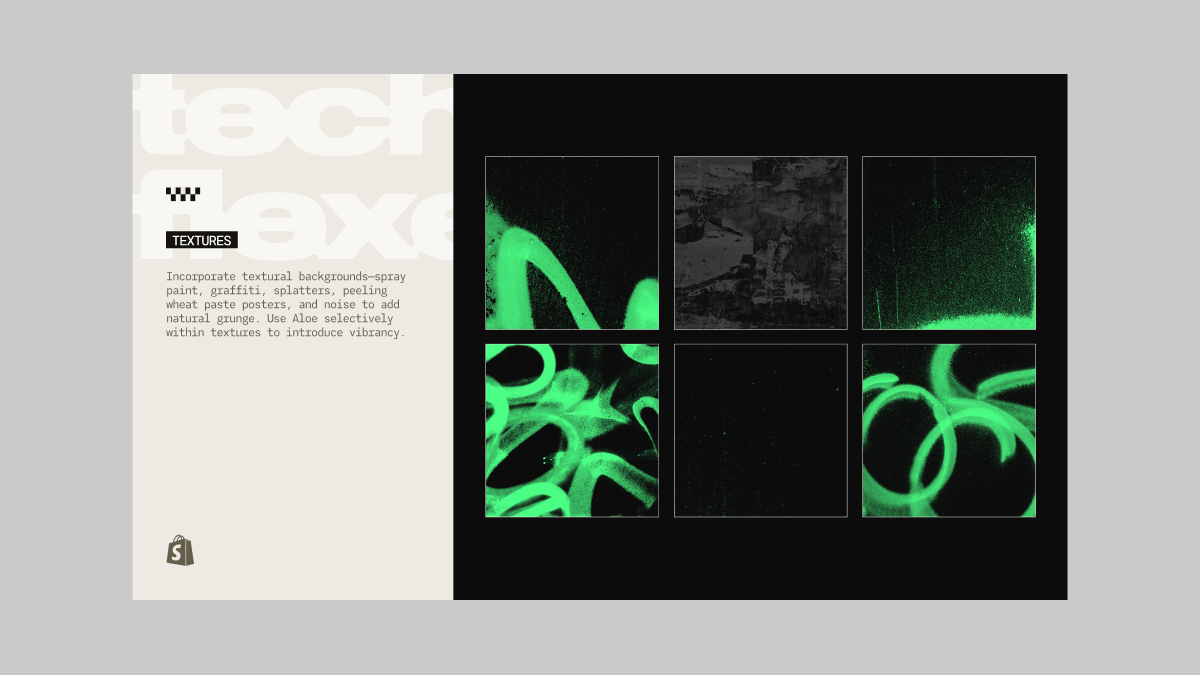
Pulling inspiration from the distressed and textural aspects of street art and screen-printed apparel, I started playing with spray paint and ink-bled typography. That all felt right, but it needed a colour that would stand out and really reflect this being a Shopify partnership. I chose a super vibrant Aloe green that, when applied to the spray paint, gave off a ‘glow in the dark’ effect that felt truly unique to this event.
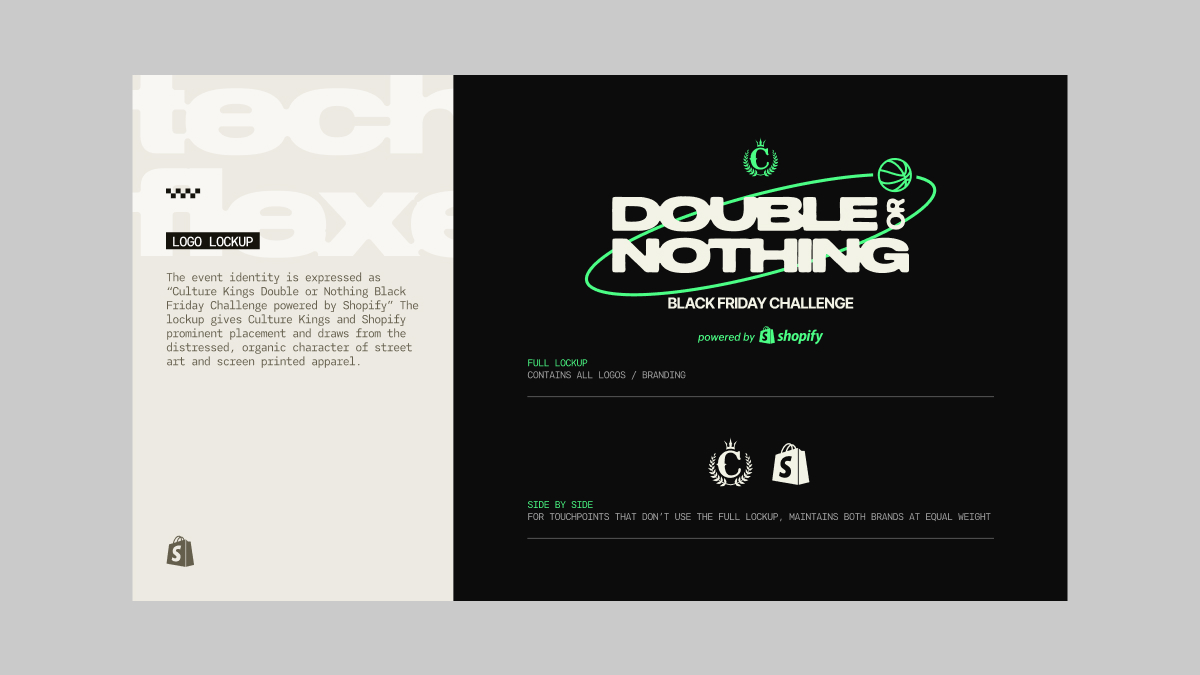
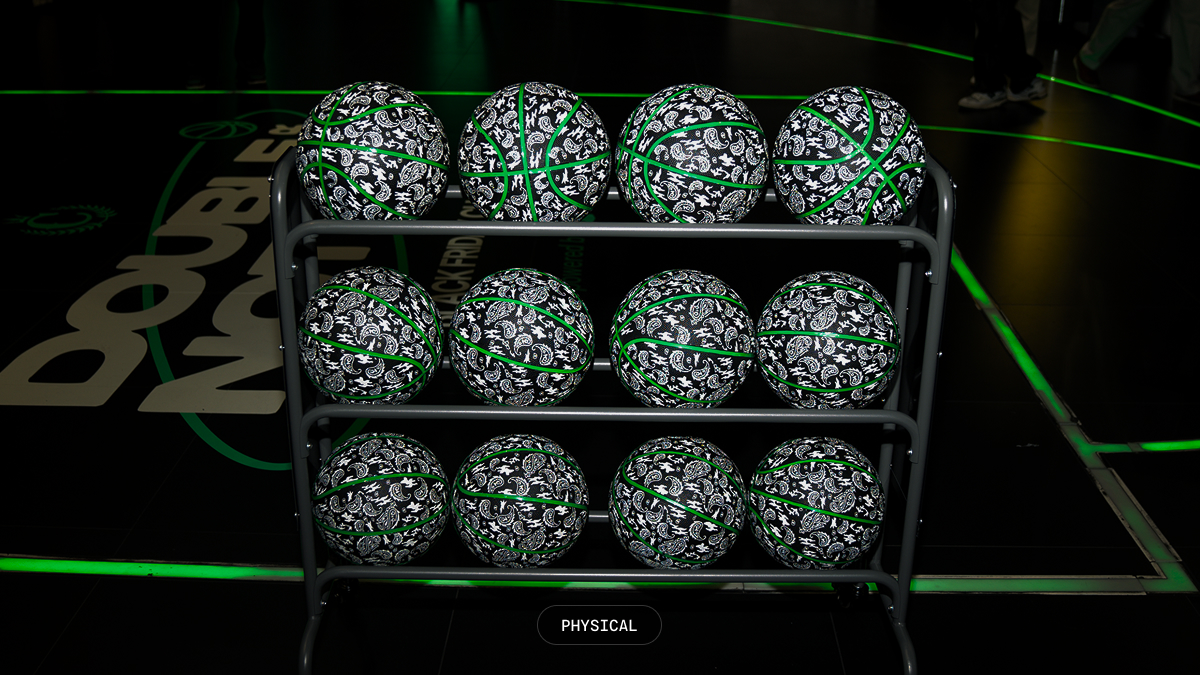
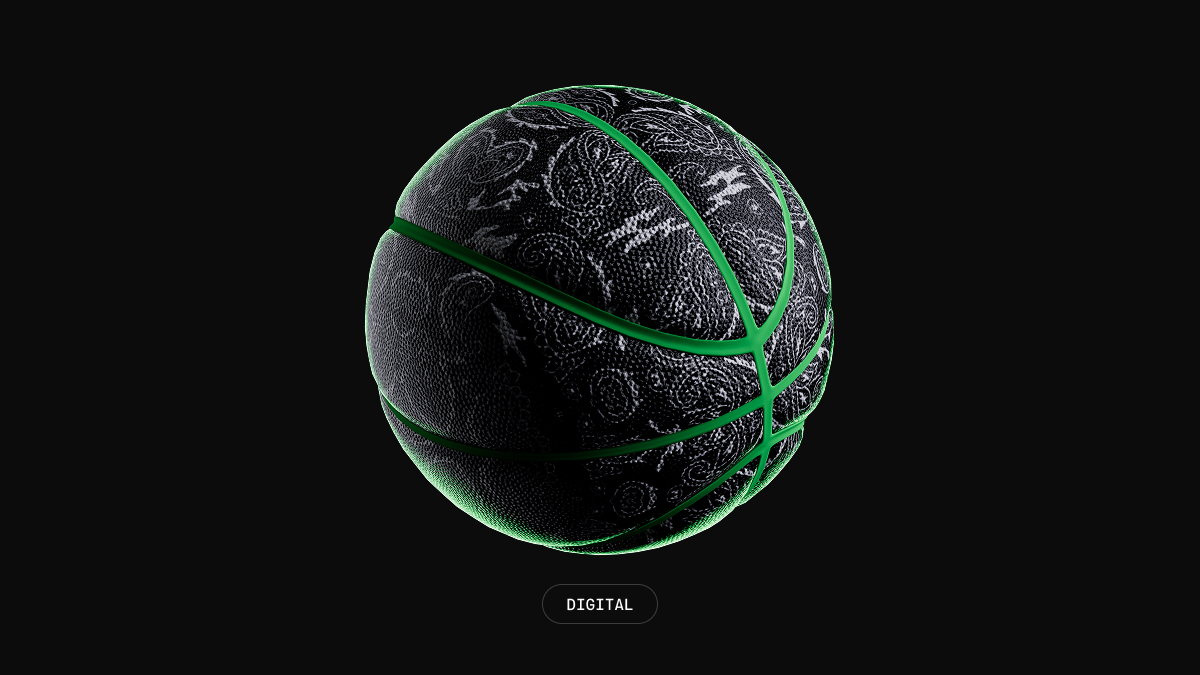
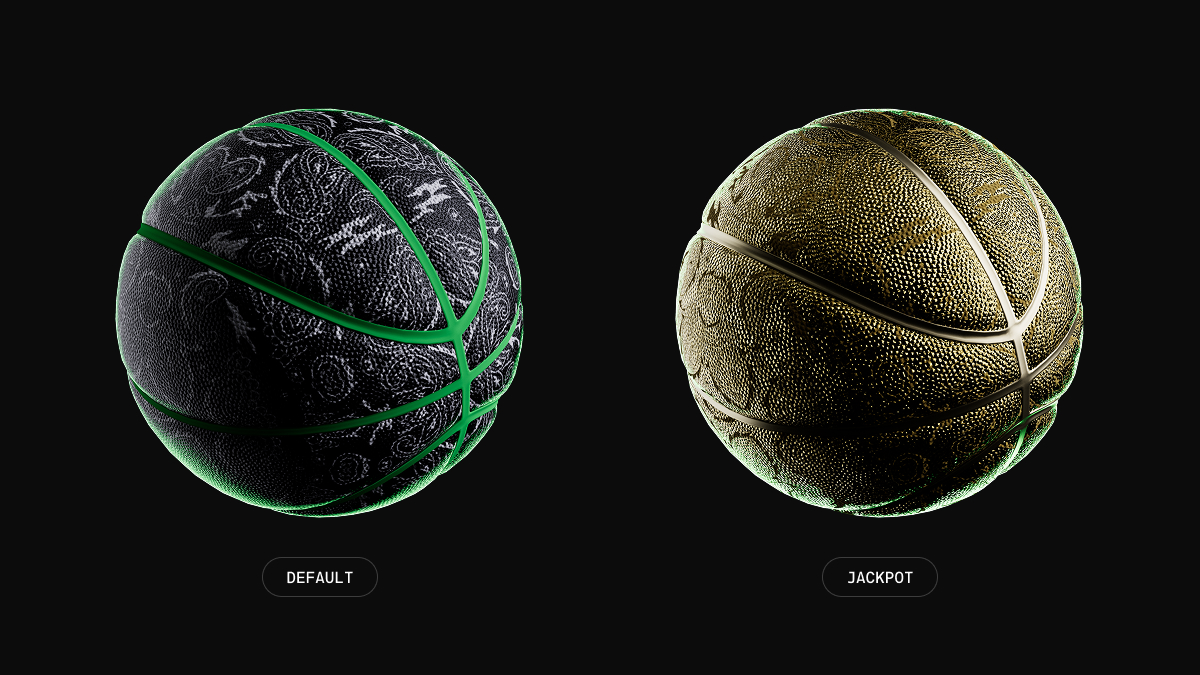
I wanted to integrate some basketball-focused elements as the hero graphic device, since it was a basketball challenge. So, I designed a simple black and green basketball that we could have customized for the event. It started as just a plain black ball with aloe green seams, but when we were in Las Vegas exploring with the team, we noticed that the Culture Kings basketballs have this gorgeous paisley pattern that, paired with the aloe green, looked really sharp. I quickly updated the 3D renders to include the pattern so the digital assets matched the real-life ball.
For the main lockup typography, I went with a widebody sans-serif called Druk and applied some Photoshop filters to roughen the edges and create an overblown ink-bleed effect. I then re-vectorized the asset so I could use it across all other touchpoints.
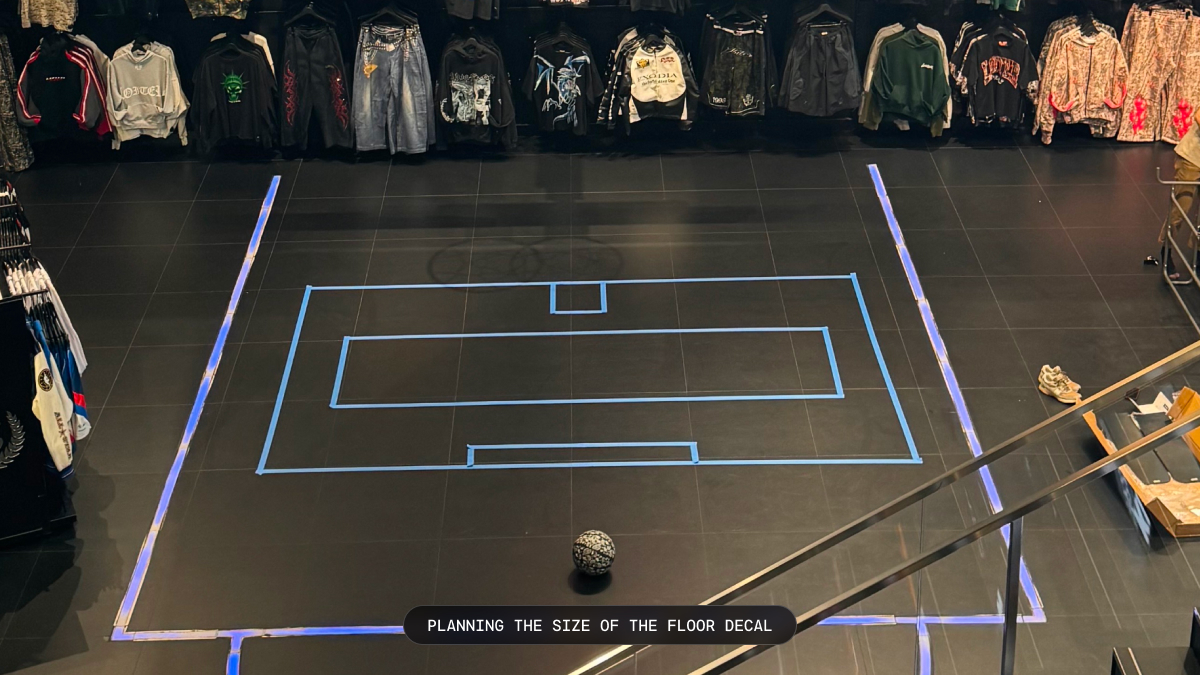
The whole system was loosely assembled, with plenty of room to evolve the brand as we built everything out.
Designing the In-Store Displays
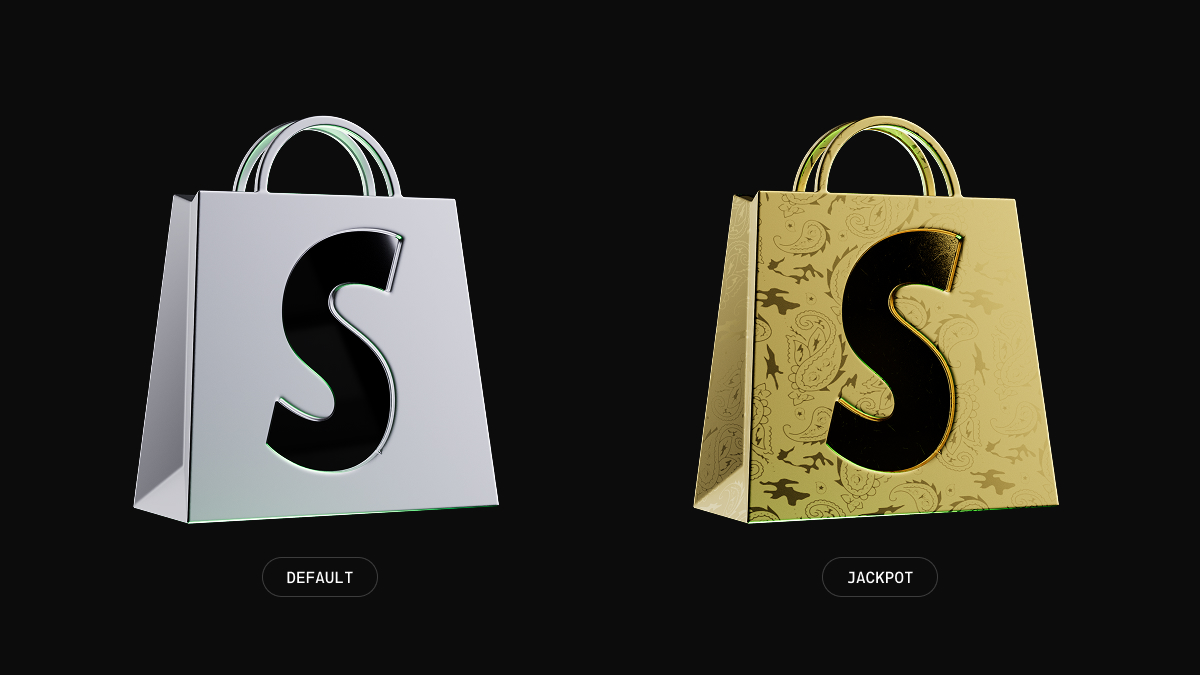
The motion design portion leaned heavily into the 3D renders of the basketballs and some 3D chrome logos I put together. I went with a stop-motion effect with gritty textures, animated some paint spray using roughened edge effects and masks to add that organic feel, and ensured that any foreground elements, like text, were animated to feel snappy while maintaining the pace and groove.
The team and I went to Las Vegas in November to do some live testing and sort out the technical execution of the build. I had a couple of video assets rendered ahead of time so we could test on the many in-store displays, and I’m so glad we saw everything in person— it opened up a whole new world of possibilities.
In the store, they have a full LED staircase, and their GM of Retail mentioned it would be super cool to have the basketballs falling down the stairs. I originally thought it might be out of scope, but after thinking about it for a bit that afternoon, I built out a rough 3D replica of their staircase and ran a few simulations with spheres bouncing down them. I projected a very low-quality wireframe animation onto the stairs to check if the bouncing looked realistic, and, thankfully, it did.
All I had to do was bake the simulation, replace the low-poly spheres with the high-quality basketball model, and render it out. After getting a really cool simulated render of basketballs falling down the stairs, it sparked more ideas—like basketballs falling and filling up one of the large displays behind their shoe wall.
The motion design process turned into a snowball effect, pulling elements from one animation into another to further develop the idea. There were also small tweaks over time, like creating a more engaging Jackpot animation for when a customer scored the final shot. For that, I rendered a few animations using a gold-textured ball and Shopify logo. All together, it added a lot more hype to that final magical moment.
How it all came together
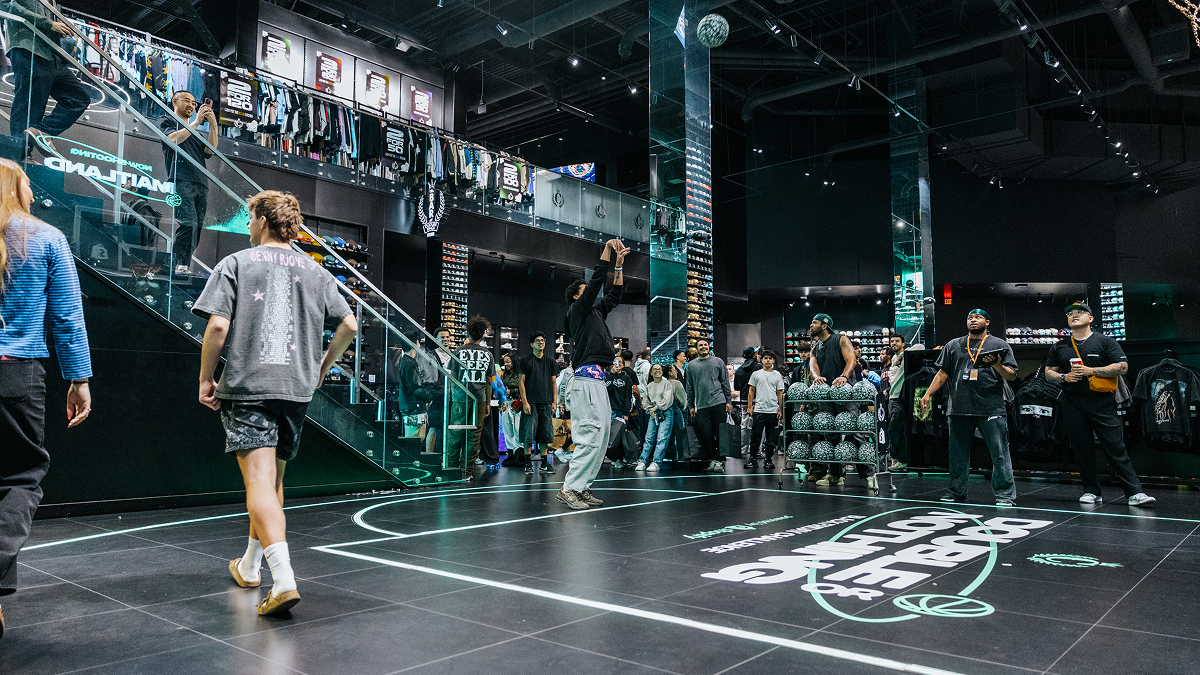
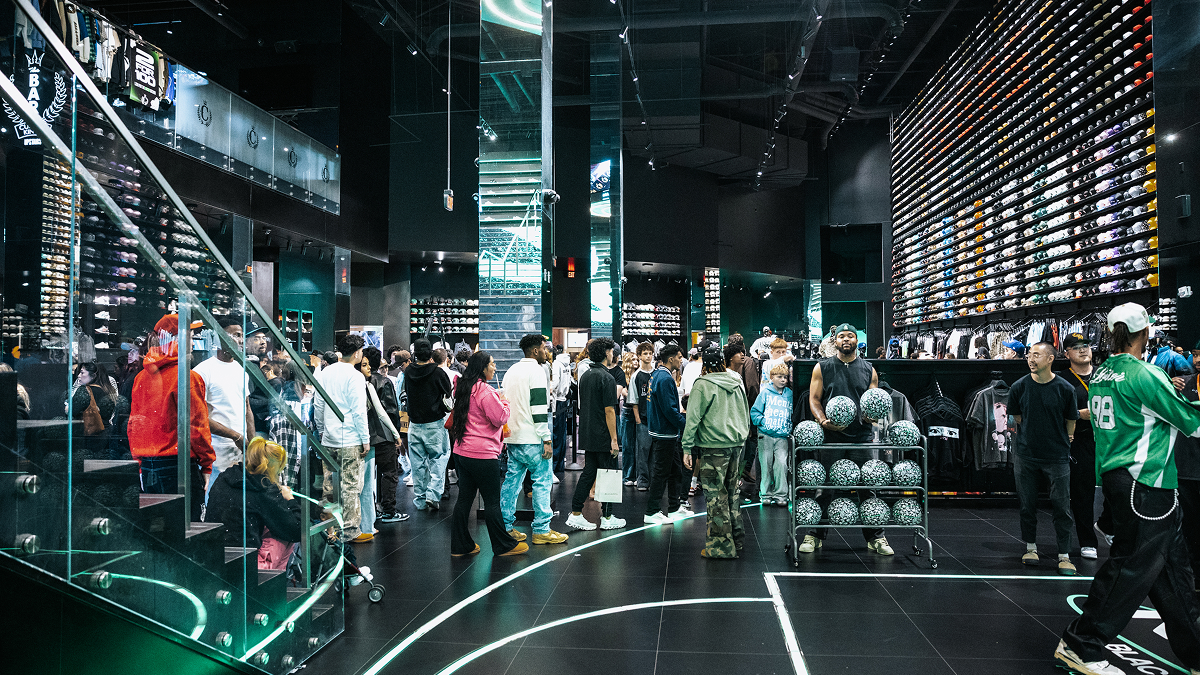
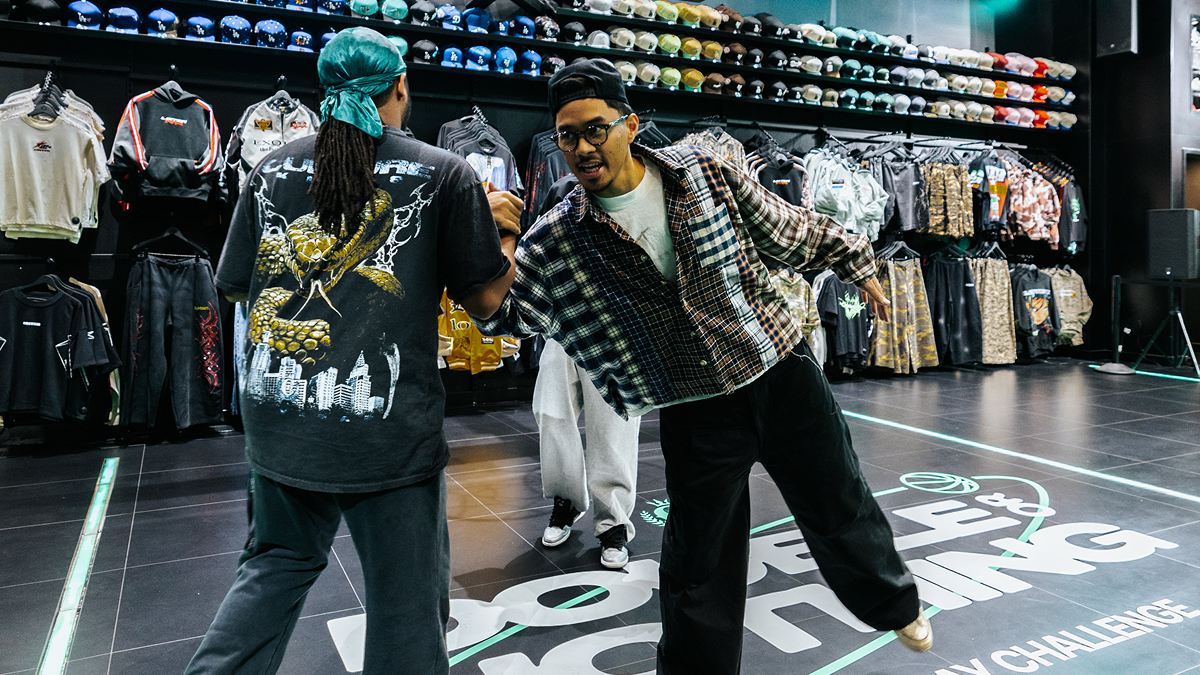
Overall, this project was an incredible success and a demonstration of a beautifully designed experience from end to end. A hundred high-value customers stepped up to the challenge, and every day there were jackpot winners who earned over $1000 each as crowds cheered on. The videos and UGC on social media looked amazing, with that bright green Shopify and Culture Kings branding everywhere. Priceless memories were created for customers, and it was an engaging experience for everyone involved. I couldn’t have asked for a better team to collaborate with, and I’m so proud of how it all came together.
Credits
Thanks to everyone who helped make this project what it is.
Collaborators
Lindsay Craig
Director of Creative
Mitchell Sidharta
Senior Brand Marketer
Matthew Pegula
Staff Engineer
Niko Draca
Staff Engineer
Culture Kings
Monica Lin
Marketing Director
Jordan Ashley
Retail General Manager
Christopher Kamikawa
Marketing Coordinator
Lexie Engdahl
Influencer Marketing & PR